In Assist, go to System Checklist to identify issues with a selected system. The view shows the status of key sensors and provides information that can help you investigate problems before making a service call.
For each sensor, System Checklist can show its status, description, problem summary, possible cause, and suggested actions.

Review the System Checklist
Each sensor on the System Checklist page shows Needs Attention or No Attention Needed. Sensors that need attention are listed first.
The Activated information under the sensor name shows when the current activation period for the sensor began. For activation periods longer than 30 days, the row displays Activated for more than 30 days.
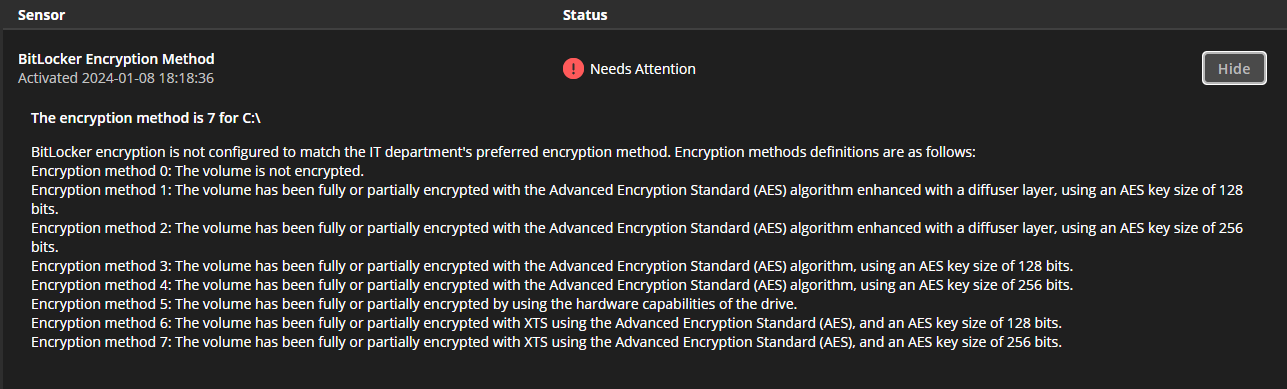
In a sensor row with the Needs Attention status, click View to see the sensor description and suggested actions.
Click View System in Resolve to open the system details in SysTrack Resolve.
Click Last 30 Days to display a graph of the Health Score from the past 30 days.
System Checklist Sensors
The enabled sensors are selected by a SysTrack System Administrator. The eight default System Checklist sensors are listed in Default System Checklist Sensors.
A SysTrack Administrator can customize the System Checklist sensors and their variables in Configure > Sensor Configuration > Management.
Users with administrator permissions will see a gear icon in the upper-right corner of the System Checklist page. Click the gear icon to open the Sensor Management view.
NOTE: If no System Checklist sensor is shown, the System Checklist page says that the System Checklist sensors are currently disabled. Users with administrator permissions also see Manage the System Checklist, which opens the Sensor Management view. Other users see a message to contact their SysTrack administrator.

Default System Checklist Sensors
Sensor | Category |
|---|---|
Disk | |
Security | |
Security | |
Policy | |
System | |
Security | |
System | |
Windows Defender Last Quick Scan (Windows only) | Security |
Access Appropriate Knowledge Base Articles
If there is a knowledge base article associated with a sensor, a link to it displays in the sensor.
Click the link for more information to troubleshoot the sensor.