Home >
Display SysTrack Dashboards
You can display SysTrack Dashboards from SysTrack Visualizer without having to switch to SysTrack Dashboard Viewer:
- Select Dashboards under Reporting in the SysTrack Visualizer Navigation pane.
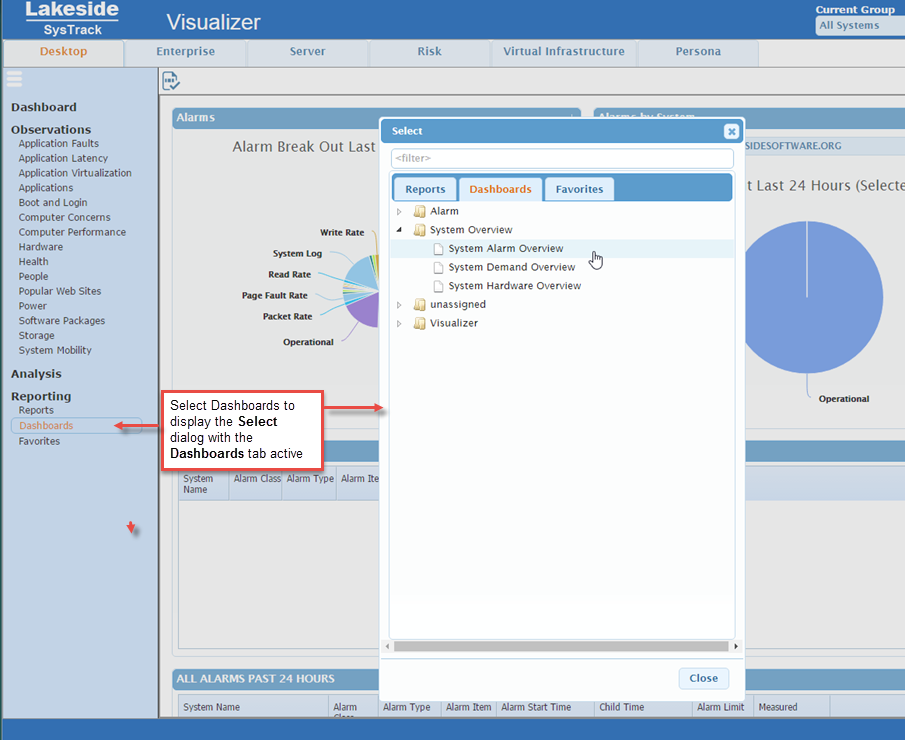
- If you have a dashboard displayed and wish to view a different report, click the select icon
 at the top left of the page.
 - To display a list of dashboards marked as "Favorite" in the SysTrack Dashboard Viewer, select Favorites under the Reportingcategory in the Navigation pane, or click the Favorites tab in the select dialog.
IMPORTANT: ManagedData block does not exist in Cloud version of the software.
On This Page