SysTrack Data Relay Configuration
-
Open a command prompt window and navigate to the SysTrack Data Relay install directory.
-
Use the following command to enter a credential for use with a SysTrack Data Relay service.

-
Argument Information:
--service – The SysTrack Data Relay service to use the provided credentials with. Valid inputs are VMWare, XenApp, and Nutanix. V, X, and N are also supported as abbreviations for the respective services.--server – The hostname of the server the SysTrack Data Relay service queries.
VMWare is vCenter,
Nutanix is Prism Central and
Citrix is Desktop Delivery Controller
--user – The username to be used to authenticate to the system specified by --server.
(Optional) --password – The password for the user specified by --user. If this argument is not provided, you will be prompted for the password when LsiDataRelayConfig runs.
Notes:
-
LsiDataRelayConfig must be run with administrator privileges.
-
The SysTrack Data Relay service you wish to provide credentials for must be running when attempting to run LsiDataRelayConfig.
-
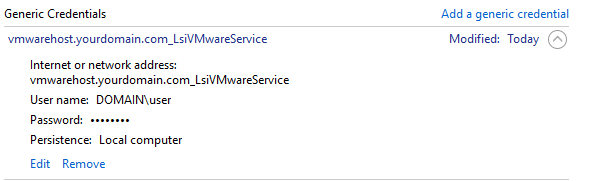
The credentials provided to LsiDataRelayConfig are stored in the Windows Credential Manager.
On This Page